Plain Text Header
Allwebco template header configuration

Support for Allwebco template headers and logos. Header files include options for a text or graphic logo. Refer to the help.html included with your template download for the correct support links.
See Also…
See Also…
Plain text logo header
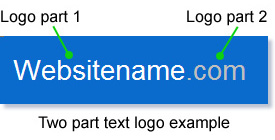
Allwebco templates may include 1 text logo part, some include 2 parts with two different font colors. Logo text is edited in the "header.js". Open the "header.js" and edit the text following either "var logotext", or if this is a 2 part logo, edit "var logo1" and "var logo2" with your website name. Click visual to see the code:

In 2 part text logos, you can leave either logo part blank to use only a single part of the logo and not use both color fonts. Delete the text between the " " leaving one space to make a part blank.
Changing logo font colors, face or size
Edit the ".textlogo" class, or in 2 part text logos edit classes ".logo" and ".logo2" in the template css file if you want to change the font colors and sizes. Edit the ".headercolor" or "#headerdiv" class for the header background color and background image.
- See also: Editing header colors
Using a graphic logo
Edit the "var logotype" to either "text" or "graphic" in all lowercase letters. Click visual above to view details. Edit the "logo.jpg" (or this may be a "logo.png") in the picts folder with your graphic image. Hover your mouse over the "logo.jpg" to view the image dimensions. Optionally you can make this image any size you prefer. It is recommended to not exceed the default logo width in templates that include other elements in the header besides the logo image.
Note: In responsive templates edit the logo width and height in the "style.css".
If you need to use a different image type, like a "logo.png" or "logo.jpg", edit the "header.js" file. You can search in the "header.js" file for ".jpg" or ".png" to find the code to change for the logo image.
Custom logo services
Allwebco offers a service to create a basic budget priced logo for any template. See our custom services support page for details and pricing.
Editing the page the logo links to
Edit the "var logolink" in the "header.js" to change the page link either the text or graphic logo links to. The default is linking to the "index.html".
Twitter and Facebook social links
See the help.html included with your website template download for social link configuration.
If your "header.js" includes social links, edit the "var facelink" and "var twitlink" in the "header.js" with your twitter and/or facebook links. Edit the "var facebook" and/or "var twitter" in the "header.js" to "yes" or "no" to show or hide the social icons. See visual link above on this page.
Tablet Website Templates
Tablet for Business
Tablet & Pad Webpage Templates
Tablet & iPad Light Designs