Template Image is Repeating
Web template support for image editing

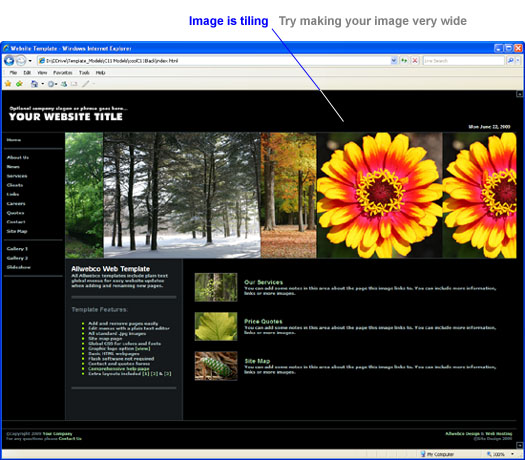
Problem: One of the template images is repeating. This is called "tiling". This will only happen in non-responsive templates that include banner type images that use background image code.
See Also…
See Also…
Solution 1.) Create tiled images
You can make your images tile in your graphics program so this repeating will not be visible. See creating tiled images for details.
For Chrome drop menu templates (and some other templates)
To remove the tiling in Chrome templates, open the HTML page you want to change. Find the "PICTURE AND BAR TABLE" notes and remove the background code. For example, in the "about.htm" find this code and remove it:

style="background-image: url('picts/about.jpg');"

background="picts/about.jpg"
Optionally you can edit the CSS code for this image area. In either the "common-style.css", or in some color themes this may be in the CSS color file you are using. Example; in the "black.css" or "common-style.css" find the ".pictbackground" class HEX color and you can edit the background color for the area where you have removed the image. Also see the changing the template image code support page. New CSS code will be similar to the following:
.ban-table {
background-color: #000000;
border-top: #445056 0px solid;
border-bottom: #445056 1px solid;
background-image: url("picts/background-images.jpg");
background-position: 600px 0px;
background-repeat: no-repeat;
}
Best solution for repeating images (Non-Chrome templates)
If a template image is repeating, this indicates that this is a background image. In a case like this it is best to make this repeating image very wide so the tiling can not be seen. A recommended width might be something like 1500 or 2000 pixels wide.
See also changing the template image code.
More Solutions:
Creating tiled images
Changing the template image code